The AI Meeting Notes System That Replaced My Notebook
Stop typing during meetings. The AI notes system that has finally earned my trust — and the prompts that make it sing.
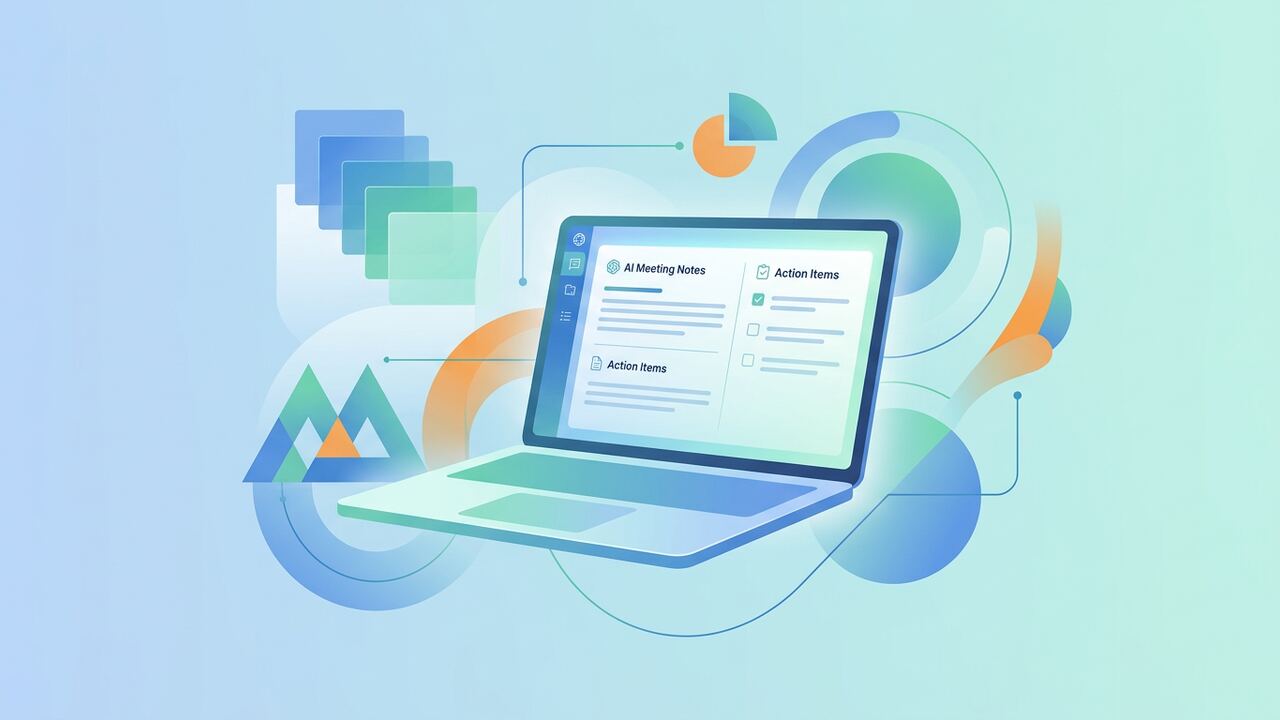
Modern AI notetakers are now reliable enough that typing during meetings is a sign you don't trust the tool. Here's the setup that finally won me over.
Tool picks
- Granola — for invite-aware notes during calls.
- Fathom — for recording-based summaries.
- Otter — for transcription-heavy workflows.
The workflow
- Pre-meeting: jot 3 bullets you want to walk out with.
- During: type only those bullets — let AI capture everything else.
- Post: ask the AI for action items and owners.
- Weekly: review owned actions, archive the rest.
Key takeaways
- Trust the AI to capture, you stay present.
- Action items beat verbatim transcripts.
- Weekly review keeps things actionable.
The Workflow Shift: From Passive Transcription to Active Intelligence
When we first started testing AI meeting notes back in early 2023, we made the classic mistake of valuing quantity over quality. We thought having a 4,000-word verbatim transcript of every internal sync was a victory. It wasn't. It was just a different kind of digital debt. Our team found that nobody actually goes back to read a full transcript unless there is a legal dispute or a direct 'he-said-she-said' conflict. The real breakthrough happened when we pivoted from using tools as recorders to using them as analytical partners. We shifted our focus to capturing 'the delta'—what changed during the meeting that wasn't true before we hopped on the call. This mindset change forced us to stop looking for simple summaries and start looking for tools that understand context, nuance, and the unspoken weight of specific action items.
In our current daily stack at the AI Productivity Hub, we divide meetings into two distinct categories: 'The Deep Dives' and 'The Quick Syncs.' For the deep dives, where nuance and exact phrasing matter, we use Fathom. Its ability to instantly clip a 30-second segment and drop it into a Slack channel has saved our editorial team roughly four hours of recap writing per week. For the quick syncs, we’ve moved exclusively to Granola. Unlike an intrusive bot that sits in the corner of your Zoom window, Granola lives on your desktop and combines your manual keystrokes with the AI’s audio processing. It doesn't just tell you what was said; it cleans up your messy, shorthand thoughts into professional documentation. This duo has effectively eliminated the 'post-meeting hangover' where you spend twenty minutes trying to remember what you actually promised to do.
The Tools That Survived Our 90-Day Stress Test
- Fathom: Still the best for external sales calls and interviews where a time-stamped, searchable record is non-negotiable.
- Granola: Our favorite for internal creative brainstorming because it feels like a 'bionic' notebook rather than a surveillance bot.
- Otter.ai: We still use this for in-person field recordings due to its superior mobile app and speaker identification accuracy.
- Fireflies.ai: Best for teams that live in their CRM; the integrations here are deep, though the UI can feel cluttered compared to Fathom.
- Tactiq: A solid browser-based alternative for those who can't or won't install local desktop software.
The Cold Math: Calculating Your Meeting Debt
We ran a two-week experiment where half our team used traditional manual note-taking and the other half used our optimized AI stack. The results were starker than we anticipated. The manual group spent an average of 12 minutes per hour-long meeting on post-call synthesis. The AI-assisted group spent 3.5 minutes. When you multiply that across our six-person team with an average of 15 meetings per week, the AI group reclaimed roughly 12.7 hours of deep work time per month. That is nearly two full workdays recovered. However, the time savings isn't the only metric that matters. We also tracked 'Action Item Leakage'—the number of agreed-on tasks that never made it into our project management software. The manual group missed 14% of minor tasks, while the AI group missed 0%, provided someone did that three-minute cleanup we mandate.
The cost of these tools is often cited as a barrier, but the math doesn't support the hesitation. A Pro seat on Fathom or Granola typically costs between $15 and $30 per month. If your hourly rate (or your company's internal cost for your time) is even a modest $50, the tool pays for itself if it saves you just 40 minutes of work in a 30-day window. In our testing, we achieved that ROI within the first three days of the month. The real risk isn't the subscription cost; it's the cognitive load of 'switching costs'—the mental energy required to stop being a participant in a conversation because you've shifted into the role of a stenographer. When you stop typing, your brain actually engages with the strategy, leading to fewer follow-up meetings and faster decision-making cycles.
The Hard Lessons: Three Mistakes We Made So You Don't Have To
Our first major failure was the 'Silent Bot' syndrome. We started sending AI bots into calls without warning participants, which instantly chilled the conversation. People don't like feeling recorded by a faceless entity. We now have a strict rule: if a bot is joining, the host must mention it within the first 30 seconds or include a disclaimer in the calendar invite. Second, we overestimated the 'Ask AI' features. For a long time, we tried to ask tools like Fireflies to 'Summarize the mood of the room.' The results were consistently generic and useless. We've learned that AI is brilliant at facts—dates, names, prices, and tasks—but it is still a mediocre psychologist. Don't ask the AI how people felt; ask it what the specific budget constraint mentioned was.
Third, we ignored the 'Security Perimeter' for too long. Not every meeting belongs in a cloud-based LLM. We had a brief moment of panic during a sensitive financial planning session before realizing we hadn't checked the data retention policies of the tool we were using. We now categorize meetings by sensitivity. If it is a high-stakes strategy session with proprietary trade secrets, we use local-first tools like Granola that don't train their models on our specific data by default. Understanding the 'Privacy Toggle' is just as important as understanding the 'Record' button. If you are in a regulated industry like law or healthcare, you need to ensure your tool is HIPAA or SOC2 compliant, something we learned the hard way after a client almost fired us for using an unvetted Chrome extension.
“The goal of AI meeting notes isn't to record everything; it's to free you to remember why you even had the meeting in the first place.”— — AI Productivity Hub Internal Handbook
The Monday Morning Checklist: What to Try This Week
If you want to replicate our results, don't try to overhaul your entire company's workflow on a Monday morning. Start small. Pick one recurring internal meeting this week—preferably one where you are currently the person 'stuck' taking the notes. Install Granola or Fathom (both have generous free tiers for testing) and run them for that single session. During the call, make a conscious effort to keep your hands off the keyboard. Look at the other participants. Listen to the tone of their voices. When the meeting ends, spend exactly five minutes reviewing the AI output and see if it captured the essence of the decisions made. This single 'controlled experiment' will give you more data than any blog post ever could.
Key takeaways
- Stop using transcription as a archive; start using it as an action-item generator.
- Choose Fathom for video-heavy teams and Granola for people who still like the feel of taking their own notes.
- Always spend 3 minutes post-meeting to 'human-verify' the AI's summary to avoid hallucinated tasks.
- Focus on 'The Delta'—ignore the fluff and only document what has actually changed during the call.
About the author
Amelia Osei
Senior Reviews Editor. Amelia leads hands-on testing for AI writing, meeting, project-management and productivity tools, with a focus on workflow fit over feature checklists. Every article is reviewed by a second editor before it ships. Meet the full team on our about page.
Published June 18, 2026 · Reviewed by Rayan Imop
Sources & further reading
Frequently asked questions
Is this allowed in client meetings?
Always ask. Most clients are fine with notes; some require recording disclosures.
Get the weekly AI productivity briefing
One short email every Sunday. The tools, prompts and workflows that mattered most this week.