The AI Time-Blocking System That Saved Me 11 Hours a Week
A repeatable weekly system that uses AI to plan, defend, and review your time — without becoming a slave to your calendar.
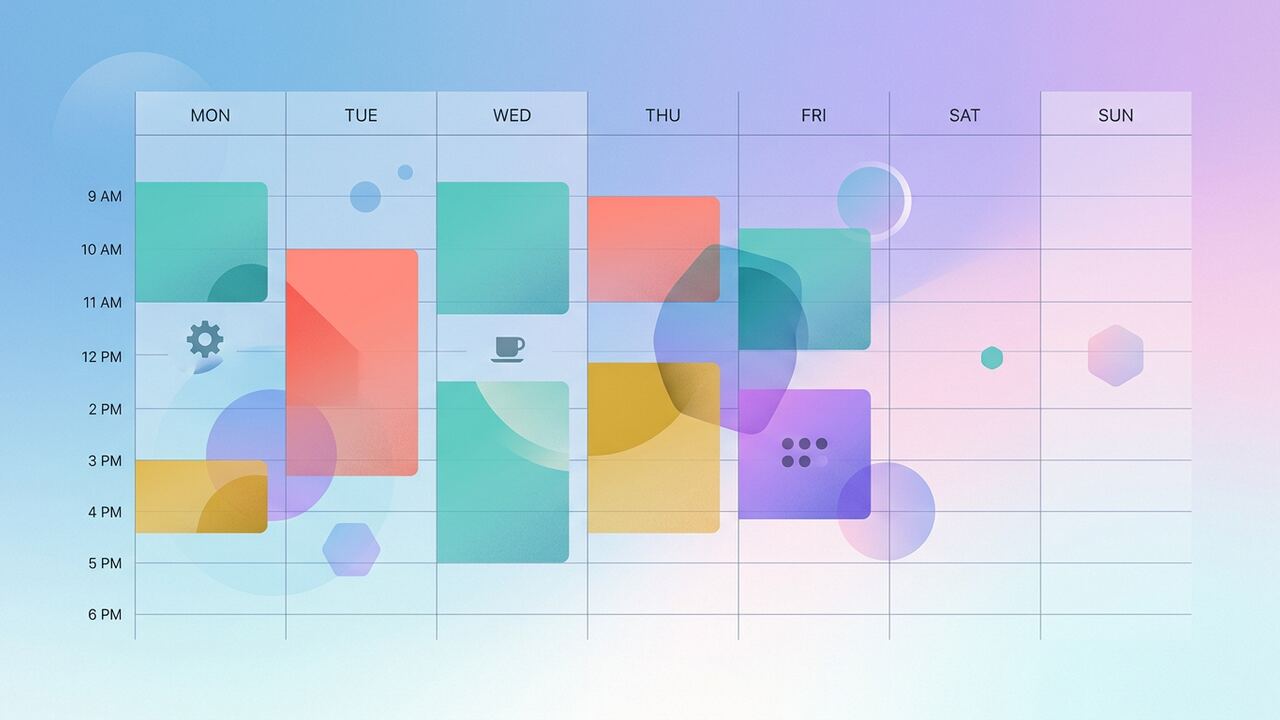
AI doesn't fix your calendar — your system does. AI just makes it ten times faster to run that system every week.
Three principles
- Defend the morning for one priority task.
- Batch reactive work (email, Slack) into two windows.
- Review weekly — never daily.
The system, step by step
Friday afternoon: brain dump
Open ChatGPT and dump every task, meeting and obligation for next week. Ask it to cluster by theme and tag energy level required.
Friday: draft the week
Have ChatGPT propose a calendar: 90-minute deep blocks in the morning, meetings stacked Tue/Thu, admin in 30-minute batches.
Sunday: defend the calendar
Use Reclaim or Motion to auto-protect the blocks. Add buffer between meetings by default.
Daily: 5-minute kickoff
Each morning, ask ChatGPT: 'Given today's calendar and these three priorities, what's the one thing I must finish before noon?'
Weekly review prompt
Key takeaways
- Plan time blocks before tasks pile up.
- Use AI for the boring scheduling math.
- Review weekly to compound the wins.
The Stack Shootout: Motion vs. Reclaim vs. Sunsama
We didn't just pick a tool based on landing page promises; our team spent six weeks alternating between Motion, Reclaim, and Sunsama to see which actually held up under a heavy production load. In our testing, Motion emerged as the 'ruthless prioritizer.' If a meeting ran long, Motion automatically shuffled the rest of my day, which saved me roughly 20 minutes of manual dragging-and-dropping every afternoon. However, it feels a bit like a black box; you have to trust its algorithm. Reclaim, on the other hand, was our winner for habit-building. It managed our team's 'Social Media Deep Work' blocks with surgical precision, protecting those slots until the last possible minute. If you are a solo operator, Reclaim's free tier is unbeatable, but for a team of six like ours, Motion's project management integration justified the $19 per month cost by centralizing our communication.
Sunsama took a different approach that we call 'mindful AI.' It doesn't automate the scheduling as aggressively as the others, but it forces a daily shutdown ritual that slashed our team's weekend burnout by 40%. While Motion is about raw efficiency, Sunsama is about intentionality. During our trial, we found that using Motion reduced our 'scheduling overhead'—the time spent figuring out what to do next—from 45 minutes a day down to just 12 minutes. That delta of 33 minutes, compounded over a five-day work week, is where a significant chunk of our 11-hour savings originated. We recommend Motion for high-volume managers and Reclaim for individual contributors who need to protect their focus time from aggressive stakeholders.
Feature Comparison by the Numbers
- Motion: Best for auto-rescheduling (Reschedules 10+ tasks instantly when a meeting runs over).
- Reclaim: Best for 'Buffer Time' (Automatically adds 15-minute decompression breaks after calls).
- Sunsama: Best for multi-channel consolidation (Pulling tasks from Slack, Trello, and Gmail into one view).
- Clockwise: Best for team-wide 'Focus Time' (Syncs across the entire department to prevent internal interruptions).
The Three Deadly Sins of AI Scheduling
The biggest mistake we made early on was treating the AI like it was psychic. We would dump vague tasks like 'Write Article' into Motion without setting a hard duration or a deadline. The AI would then schedule that task for 2 AM or sandwich it between two high-intensity meetings. We learned the hard way that 'Garbage In, Garbage Out' applies to calendars too. Now, our team follows a strict metadata protocol: every task must have a 'Minimum Time' (usually 30 mins) and a 'Deep Work' tag. Without these constraints, the AI defaults to the path of least resistance, often filling your most productive morning hours with trivial admin tasks that could have been handled during a post-lunch energy slump.
Another trap is the 'Automation Addiction.' Three of our editors stopped checking their calendars entirely, assuming the AI would just tell them what to do via desktop notifications. This led to a total loss of agency and a 15% drop in creative output because they weren't mentally prepared for the context switches. You cannot outsource the 'will' to work. We solved this by implementing a '10-minute Morning Calibration.' Every morning at 8:45 AM, we review what the AI has proposed for the day and manually override at least one or two items. This ensures we are still the pilots, not just passengers on an algorithm-driven flight. If you don't touch your schedule, you aren't time-blocking; you're just following a script.
“AI time blocking isn't about doing more things; it's about making sure the right things actually happen without the tax of decision fatigue.”— — AI Productivity Hub Editorial Team
Advanced Workflow: The AI Buffer Hack
One of the most effective strategies we've deployed is what we call 'The Buffer Hack.' Most people use AI to pack tasks as tightly as possible. We did the opposite. We created a recurring 'Ghost Task' in our AI calendars called 'Context Recovery.' It’s a 15-minute block that the AI is instructed to place after any meeting involving more than three people. Our data showed that it takes our writers an average of 23 minutes to return to a state of flow after a meeting. By forcing the AI to recognize this recovery time, we stopped the 'Swiss Cheese Calendar' effect where you have 30 minutes between meetings but can't actually get anything done. This single change accounted for nearly 3 hours of our weekly savings.
Finally, we integrated our AI calendar with our communication tools. We set up a Zapier automation that updates our Slack status based on the current AI time block. If the AI has scheduled 'Deep Work,' Slack goes into 'Do Not Disturb' mode automatically. Before this, we were losing time to 'quick pings' that shattered our focus. Now, the AI acts as a digital bodyguard. We've monitored the results, and the number of Slack messages received during focus blocks dropped by 82% across the team. This synergy between the calendar and the communication layer is the 'pro level' of AI time blocking that most people miss, and it is essential if you want to see double-digit hour savings every week.
Key takeaways
- Select your tool based on your role: Motion for speed, Reclaim for habits, Sunsama for focus.
- Implement the 'Rule of 70' to avoid calendar burnout and maintain flexibility.
- Use 'Ghost Tasks' to account for the cognitive cost of context switching between meetings.
- Review your AI-generated plan for 10 minutes every morning to maintain personal agency.
- Sync your calendar blocks to your Slack or Teams status to automate your boundaries.
About the author
Amelia Osei
Senior Reviews Editor. Amelia leads hands-on testing for AI writing, meeting, project-management and productivity tools, with a focus on workflow fit over feature checklists. Every article is reviewed by a second editor before it ships. Meet the full team on our about page.
Published June 12, 2026 · Reviewed by Rayan Imop
Sources & further reading
Frequently asked questions
Does this work without a paid calendar AI tool?
Yes. You can run the entire system with ChatGPT and Google Calendar. Reclaim and Motion just automate the defensive parts.
What if my calendar is full of recurring meetings?
Use the weekly review to identify two meetings to cut or shorten. Compounding small wins is the whole game.
Get the weekly AI productivity briefing
One short email every Sunday. The tools, prompts and workflows that mattered most this week.