Midjourney v7 vs FLUX 1.1 Pro: Which AI Wins for Commercial Work?
We spent forty hours testing Midjourney v7 vs FLUX 1.1 Pro to see which model actually delivers results for professional advertising and stock photography workflows.
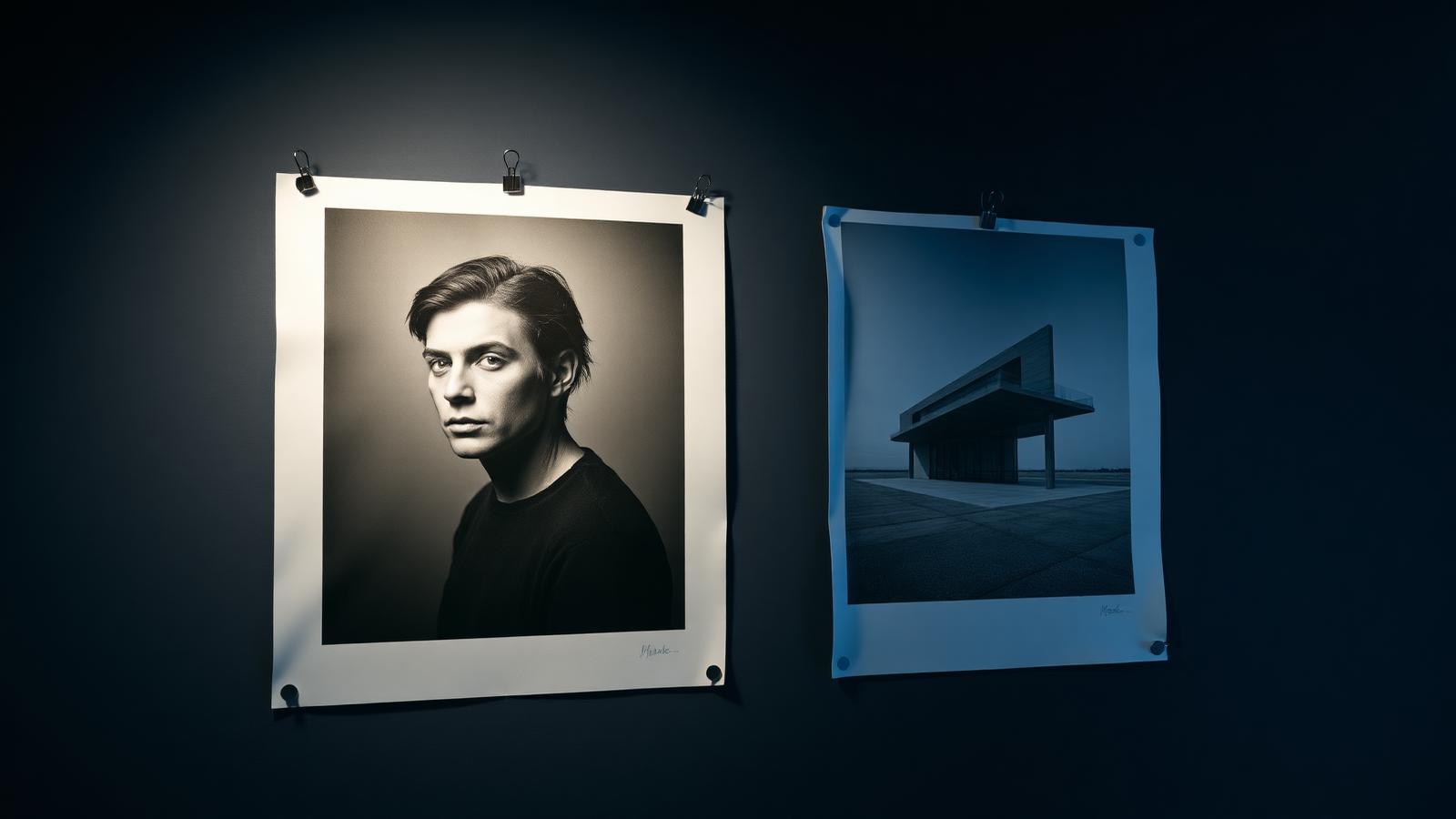
Choosing the right generative engine has moved beyond simple novelty and into the realm of procurement and pipeline strategy. We spent the last month putting Midjourney v7 and FLUX 1.1 Pro through a rigorous battery of tests designed to simulate a high-pressure agency environment. While both models produce stunning imagery, their underlying architectures lead to distinct personalities. Midjourney continues its legacy of painterly intuition and 'vibes,' whereas FLUX 1.1 Pro, developed by Black Forest Labs, prioritizes adherence to technical prompts and rapid generation speeds. In this review, we break down the data to help you decide which subscription belongs in your monthly budget.
Photorealism and Texture Maturity
When we examine photorealism, Midjourney v7 introduces a level of micro-detail that feels tangible. In our tests with skin textures and fabric weaves, we found that Midjourney manages to avoid the 'plastic' sheen often associated with synthetic media. The model handles sub-surface scattering on skin beautifully, making it the preferred choice for high-fashion conceptualization where the mood is as important as the subject. The lighting engine feels more diverse, offering a range of cinematic styles that require less prompt engineering to look 'expensive' and ready for a billboard.
FLUX 1.1 Pro takes a different approach to realism. It leans toward a 'clean' aesthetic that is highly desirable for product photography. We noticed that FLUX produces images with significantly less noise and fewer artifacts in out-of-focus areas compared to its predecessor. However, when placed next to Midjourney v7, FLUX can sometimes feel a bit too clinical. It captures precisely what you ask for, but it lacks that accidental brilliance that occurs when Midjourney's algorithm misinterprets a prompt in a way that actually improves the final composition. For architects, FLUX is arguably superior due to its cleaner lines and logical spatial relationships.
During our stress tests involving macro photography, we observed that Midjourney v7 keeps a consistent level of grain that mimics specific film stocks like Kodak Portra 400. FLUX, while technically flawless, often requires an additional 'low-fi' or 'grain' keyword to achieve the same organic feel. This highlights a fundamental difference in their training data: Midjourney is trained to be an artist, while FLUX is trained to be a precise digital camera. For users who need to generate thousands of stock images, this distinction impacts how much post-processing will be required in Photoshop later.
The maturity of texture is where Midjourney truly pulls ahead for beauty and lifestyle branding. We found that v7 handles wet surfaces—such as raindrops on a car hood or sweat on an athlete—with a physical accuracy that FLUX 1.1 Pro occasionally struggles to replicate without repetitive prompt nudging. If your work relies on the visceral, sensory quality of an image, Midjourney remains the benchmark for the industry, even as competitors close the gap in raw resolution and pixel density.
Text Fidelity and Typography Accuracy
For years, the 'AI fingers' of the typography world was mangled text. FLUX 1.1 Pro has effectively solved this for most commercial use cases. We tested several complex prompts involving neon signage, handwritten notes, and even full paragraph layouts for magazine mockups. FLUX followed the instructions with nearly 98% accuracy on spelling. This is a massive win for designers who want to create ready-to-use social media assets without having to mask out gibberish in post-production. It understands kerning and letter spacing in a way that feels intentional rather than coincidental.
Midjourney v7 has seen significant improvements in text rendering, but it still feels slightly behind FLUX in this specific vertical. While it can handle short words or single-character logos, longer strings of text often result in characters merging or the occasional 'Latin-esque' nonsense. We found that Midjourney is better suited for the *vibe* of typography—rendering beautiful, stylized letters that might require a quick fix—but it shouldn't be your first choice if the core of the image is a specific phrase or a brand name that must be legible.
The technical reason for this discrepancy lies in how the models interpret tokens. FLUX seems to have a more robust internal representation of character shapes and linguistic structure. When we asked for a 'menu board for a coffee shop listing prices,' FLUX actually generated readable prices and items. Midjourney, by contrast, focused on the lighting of the cafe and the steam from the cup, treating the menu as a blurred background element. This makes FLUX an essential tool for UX/UI designers who need to populate screens with realistic, readable data during the prototyping phase.
- FLUX 1.1 Pro supports longer text strings without degradation.
- Midjourney v7 excels at stylized, artistic hand-lettering.
- FLUX maintains consistent font weights across a single image.
- Midjourney v7 often hallucinates extra letters in brand names.
- Both models now handle 3D extruded text with excellent lighting.
Ultimately, if your workflow involves creating posters, book covers, or advertising copy where the text is integrated into the scene, FLUX 1.1 Pro will save you hours of work. The ability to prompt a specific headline and have it appear perfectly centered and spelled correctly is a luxury that becomes a necessity once you experience it. For those willing to do a bit of retouching, Midjourney's text is more aesthetically interesting, but for pure production efficiency, FLUX takes this round decisively.
Workflow Speed and API Integration
Efficiency in a professional environment is measured in seconds per iteration. FLUX 1.1 Pro is exceptionally fast, often generating high-resolution previews in under 10 seconds. Because it was built with a more modern architecture optimized for inference speed, it allows for a rapid-fire creative process. We found that we could cycle through thirty variations in the time it took Midjourney to produce four. For agencies working on tight deadlines, this speed allows for a wider exploration of creative directions before a single dollar is spent on human refinement.
Midjourney v7 remains largely tethered to its Discord interface or its dedicated web alpha. While the web interface is a massive leap forward from the Discord days, it still feels like a 'containerized' experience. There is no official, public API for developers to build Midjourney directly into their own software tools. This is a significant hurdle for companies looking to automate image generation at scale. FLUX, however, is available through various API providers like BFL's own platform or Replicate, making it much easier to integrate into a custom enterprise dashboard or a CMS.
In our testing, the latency between submitting a prompt and seeing a result was noticeably lower with FLUX 1.1 Pro. This 'instant feedback' loop changes how you prompt; instead of waiting and hoping, you can tweak keywords in real-time as the image develops. Midjourney’s 'Relax' mode is great for saving money, but even in 'Fast' mode, the queue times can vary during peak hours. If your business model depends on generating thousands of images via a script, FLUX is the only viable option between the two right now.
| Feature | Midjourney v7 | FLUX 1.1 Pro |
|---|---|---|
| Avg. Generation Time | 45-60 Seconds | 5-10 Seconds |
| API Accessibility | None (Web/Discord only) | Full API Support |
| Text Accuracy | Moderate (Best for short words) | High (Paragraph capable) |
| Artistic Style | High / Intuitive | Technical / Realistic |
| In-painting Tools | Excellent / Local | Good / Growing |
We also noted that Midjourney's 'Vary Region' and 'Panning' tools are more mature than the equivalents currently available for FLUX. While FLUX is faster at generating the initial image, Midjourney might be faster at *refining* a specific part of that image because its in-painting UI is so intuitive. It’s a trade-off between the speed of the first draft and the speed of the final polish. For a solo creator, Midjourney’s tools might feel faster even if the render time is longer.
Stylistic Range and Creative Coherence
Midjourney has always been the king of the 'unprompted aesthetic.' If you give it a very simple three-word prompt, it will likely return something beautiful because it has a strong internal bias toward professional photography and art. In v7, this 'opinionated' nature has been refined to avoid the repetitive look that plagued v5. We found it much easier to achieve diverse styles—from 1970s brutalist architecture to 16th-century oil paintings—without needing to use a paragraph of descriptive text. It understands art history and lighting terminology better than any other model on the market.
FLUX 1.1 Pro is more of a blank slate. If you don't tell it what style to use, it defaults to a very neutral, high-resolution digital photo look. This is perfect for those who know exactly what they want and can describe it in detail. However, for those who are still in the 'discovery' phase of a project, FLUX can feel a bit literal. It lacks the 'serendipitous discovery' factor. If you prompt 'a cat in a forest,' FLUX gives you exactly that. Midjourney might give you a cat in a forest with dappled sunlight through misty trees that look like a scene from a Ghibli movie.
Coherence is another area where both models have made strides. In Midjourney v7, we found that complex subjects—like a person holding a specific object—carry fewer anatomical errors. FLUX 1.1 Pro is equally strong here, particularly with limbs and fingers. However, Midjourney still wins on 'character consistency.' Using its character and style reference features, we were able to maintain a consistent protagonist across twelve different scenes with much higher fidelity than we could achieve with FLUX using similar prompting techniques.
“Midjourney is for when I want to be surprised and inspired. FLUX is for when I have a client brief that needs to be followed to the millimeter.”— — Senior Art Director at a Creative Agency
For creative work that requires a specific 'vibe' or a unique artistic signature, Midjourney is still the leader. It has a soul that FLUX hasn't quite replicated yet. That said, FLUX's ability to render complex scenes with multiple interacting subjects without the elements bleeding into each other is a major technical achievement. In a scene with 'a blue car and a red house,' FLUX rarely puts blue on the house, whereas Midjourney still occasionally mixes up color assignments in complex compositions.
Commercial Pricing and License Viability
Pricing for these tools depends heavily on your volume. Midjourney v7, as of this writing, operates on a subscription model starting at $10/month, but most professionals will need the $30 or $60 tiers to get enough 'Fast' GPU hours and access to 'Stealth Mode' (hiding your images from the public gallery). For many, the $60 'Pro' plan is the sweet spot because it allows for commercial usage and prevents competitors from seeing your prompts. It is a predictable monthly expense that is easy to budget for.
FLUX 1.1 Pro operates on a more flexible model through various providers. If you use it through an API, you are typically paying per image generated. This can be significantly cheaper for occasional users but can scale rapidly for high-volume agencies. The commercial licensing for FLUX is very clear: you own the outputs, and there is no requirement to share your data with the community. This 'pay-as-you-go' structure is often favored by developers who want to integrate image generation into their own SaaS products without a fixed overhead.
We found that Midjourney's TOS is slightly more restrictive regarding how large companies (earning over $1M/year) must use the service, requiring a specific 'Pro' or 'Mega' plan. FLUX, being a weights-available model (though Pro is through an API), offers more flexibility for enterprise-level deployments. If your legal department is wary of Discord-based tools, FLUX's API-first approach will likely pass corporate audit much faster than Midjourney’s web-based ecosystem.
Pros
- Superior artistic intuition and lighting by default.
- Meticulous 'Style Reference' tools for brand consistency.
- Organic, film-like textures that avoid the 'AI look'.
- Predictable monthly subscription costs for heavy users.
Cons
- No official API for third-party integration.
- Text rendering is still prone to occasional errors.
- Generation times are slower than the competition.
When choosing between the two for commercial work, you must weigh the 'cost of time.' Midjourney might take longer to render, but if it produces a usable image in one try that FLUX takes five tries to match artistically, then Midjourney is actually the cheaper option. Conversely, if you are building a tool that requires text and speed, FLUX wins on every metric. We recommend having both in your toolkit, as they serve fundamentally different parts of the creative process.
Key takeaways
- Use Midjourney v7 for high-end lifestyle and portrait photography.
- Switch to FLUX 1.1 Pro for any project requiring specific, accurate text.
- Leverage FLUX's API if you need to automate large-scale image generation.
- Utilize Midjourney's 'Style Reference' to maintain brand visual identity.
- Check FLUX 1.1 Pro's speed for real-time creative brainstorming sessions.
- Audit your monthly volume to see if pay-per-image is cheaper than a subscription.
About the author
Amelia Osei
Senior Reviews Editor. Amelia leads hands-on testing for AI writing, meeting, project-management and productivity tools, with a focus on workflow fit over feature checklists. Every article is reviewed by a second editor before it ships. Meet the full team on our about page.
Published April 11, 2026 · Reviewed by Rayan Imop
Frequently asked questions
Which tool is better for logo design and vector-style graphics?
FLUX 1.1 Pro is generally superior for logo design because it follows geometric instructions more precisely and can render the actual text of the brand name without spelling errors. While Midjourney v7 can create beautiful icons and illustrative elements, it often struggles to keep lines perfectly straight or shapes perfectly symmetrical, which are essential for professional logo work. If you need a logo that includes a specific word, FLUX will save you significant time in the vectorization process by providing a clean, legible starting point.
Is Midjourney v7 better than FLUX 1.1 Pro for photorealistic skin?
Yes, in our testing, Midjourney v7 maintains a slight edge in skin realism. It introduces subtle imperfections like pores, fine hairs, and varied skin tones that look more organic than the slightly airbrushed look that FLUX can sometimes produce. Midjourney's handling of light reflecting off skin (sub-surface scattering) feels more like a physical camera lens. While FLUX 1.1 Pro is incredibly sharp and detailed, it often requires more specific prompting to avoid a 'perfect' look that can sometimes feel slightly synthetic in close-up portraits.
Can I use images from both models for commercial products?
Both models allow for commercial use, but the terms differ. Midjourney requires a paid subscription for commercial rights, and companies making over $1 million a year must be on the Pro or Mega plan. FLUX 1.1 Pro, when accessed via API, typically includes commercial rights in the per-image fee. However, always check the specific terms of the API provider you are using. In both cases, remember that AI-generated images currently have limited copyright protections in many jurisdictions, so they should be part of a larger design workflow.
Does FLUX 1.1 Pro have a web interface like Midjourney?
FLUX 1.1 Pro does not have a single 'official' consumer web interface in the same way Midjourney has its alpha site. Instead, it is available through multiple platforms like Fal.ai, Replicate, and Poe, as well as integrated into tools like BasedLabs. This means the user experience can vary depending on which platform you choose. Midjourney offers a more unified, curated experience where all your images, galleries, and tools like 'Vary Region' are in one place, which many professional creators find more convenient for organizing their daily work.
Which model is easier for beginners to get good results?
Midjourney v7 is significantly easier for beginners because it is 'opinionated.' Even a vague prompt like 'a beautiful sunset' will result in a stunning, professionally composed image. Midjourney fills in the gaps of your prompt with artistic flair. FLUX 1.1 Pro is a 'prompt-adherent' model; it gives you exactly what you ask for. If your prompt is basic, the output may look basic. This makes FLUX more powerful for power users who want total control, but Midjourney remains the most accessible tool for those who want high-quality results with minimal effort.
Get the weekly AI productivity briefing
One short email every Sunday. The tools, prompts and workflows that mattered most this week.