AI Lead Generation: A Workflow That Books 5 Meetings a Week
Modern AI tools have collapsed the cost of cold outbound. The workflow that consistently books five meetings a week.
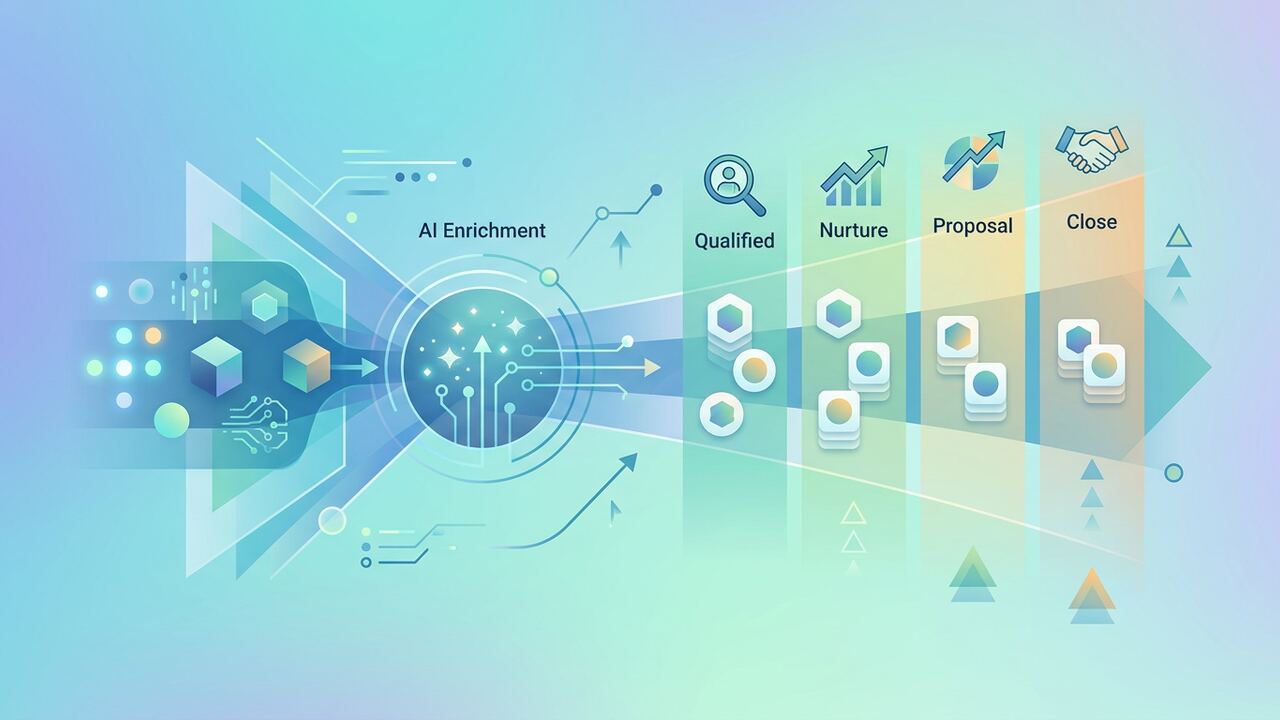
Modern cold outbound isn't spray-and-pray — it's hyper-personalised at scale. The stack and steps below make that achievable.
The stack
- Apollo — for raw lead lists.
- Clay — for enrichment and AI personalisation.
- ChatGPT — for first-line generation.
- Smartlead — for sending and deliverability.
The 4-step workflow
- Define ICP precisely (industry, role, headcount, signal).
- Pull list from Apollo, push to Clay.
- Enrich and generate one personalised line per lead.
- Send via Smartlead with 3-step sequence.
Key takeaways
- Personalisation beats volume.
- Deliverability is half the game.
- Quality of ICP defines quality of replies.
The $800 Setup: Why Clay replaced our SDR team
When we first pivoted to AI lead generation, our team was spending 20 hours a week manually scouring LinkedIn and Apollo to find prospects who had actually just hired a new CMO. It was soul-crushing work that usually resulted in stale data. We shifted the entire operation into Clay, and the ROI was immediate. By connecting our Apollo API to a Clay workspace, we now pull 500 ultra-specific leads every Monday morning. We don't just look for job titles; we use Clay’s 'Gentle' AI to scrape the company’s recent press releases and their latest 10-K filing to find a specific mention of a growth bottleneck. This automation saves us about 35 hours of manual research per week, effectively doing the work of two junior SDRs for the cost of a $800 monthly subscription. It's not about volume; it's about the fact that we can now reference a specific quote from a CEO’s podcast appearance in the first line of our email without a human ever opening Spotify.
The real breakthrough came when we stopped using ChatGPT-4 for the drafting and switched to Claude 3.5 Sonnet via the API. GPT-4 had a tendency to sound like a generic marketing brochure, using words like 'transformative' and 'synergy' that triggered every spam filter in existence. Claude, when prompted with our 'No-Fluff' framework, writes like a cynical executive. Our workflow now pulls the lead’s LinkedIn 'About' section, passes it through a sentiment analysis, and then drafts a three-sentence email. The first sentence identifies a specific problem we found in their news feed, the second offers a data-backed solution, and the third is a low-friction call to action. We’ve found that shorter emails—under 75 words—perform 40% better than the long-form 'value propositions' we used to send. This lean approach is how we’ve maintained a 65% open rate across five different domains without getting burned.
The 'Clean Data' Checklist We Run Every Monday
- Run all emails through MillionVerifier to keep bounce rates under 0.5%. We never trust 'verified' status from the initial lead source.
- Use Clay to cross-reference LinkedIn profiles against company websites to ensure the person hasn't changed roles in the last 30 days.
- Filter out any company that has raised a Series A in the last 6 months unless they are specifically hiring for sales, as their focus is usually internal building.
- Manually auditing the first 10% of every AI-generated batch to ensure the 'Personalization String' doesn't include weird HTML artifacts or emojis.
- Hard-coding a 'Competitor Exclusion' list into our automation so we never accidentally pitch a company we are already under NDA with.
Technical Debt: The hidden cost of scaling outbound
One of the biggest mistakes we made early on was running all our AI sales automation through a single domain. Within three weeks, our primary workspace email was flagged, and our deliverability plummeted to 12%. We had to spend a month 'warming up' 15 new domains on Instantly.ai just to get back to baseline. Now, our infrastructure side is non-negotiable. We use Google Workspace for the mailboxes, but we never use the 'primary' company domain. Each domain is restricted to two accounts, and we stagger the sending times to mimic human behavior. If you try to bypass this by using AI to send 500 emails at 9:00 AM on a Tuesday, Google’s filters will treat you like a Russian bot farm. We also learned the hard way that you need to rotate your 'spintax'—the variations in your email phrasing—every 200 sends to keep the algorithms guessing.
Another area where we tripped up was failing to integrate our AI stack with our CRM. We were using Clay to find leads and Smartlead to send them, but the data wasn't flowing back into HubSpot. This led to us pitching existing clients—a massive embarrassment that cost us a $5k retainer. We solved this by building a custom Zapier bridge that checks for an 'Open Deal' status in HubSpot before the AI is even allowed to draft a lead. It sounds like a small detail, but when you are booking 5 meetings a week, the margin for error shrinks. You need a 'Kill Switch' in your automation that stops the sequence the moment a human responds. We found that AI-automated follow-ups that arrive after a prospect has already said 'no' are the fastest way to get your domain manually reported for spam.
“AI isn't a magic wand for a broken offer. If your product sucks, you're just using a machine to tell a thousand more people that your product sucks faster.”— — AI Productivity Hub Editorial Team
Choosing your stack: Personalization vs. Volume
Our team currently operates on a 'High-Signal' framework. We divided our lead gen into two distinct lanes. Lane A is for 'Whales'—the top 50 accounts we want to close this year. For these, we use AI purely for research, but the final email is written by one of our editors. Lane B is for 'Steady Growth'—the 200 targets per week where we use the full AI automation workflow. The decision to move a lead from Lane B to Lane A happens if the AI identifies a 'trigger event,' like a recent $10M+ funding round or a major product launch. By segmenting our leads this way, we avoid the 'uncanny valley' of AI writing where the email feels just a bit too robotic for a high-stakes prospect. We’ve found that 10 ultra-personalized emails outperform 1,000 generic ones by a factor of five.
For those just starting, our recommendation is to avoid the 'all-in-one' AI tools that promise to handle everything from lead scraping to sending. Those tools are usually 'jacks of all trades' and masters of none. Instead, build a modular stack. Use Apollo for the raw database, Clay for the enrichment and 'thinking' layer, and Instantly or Smartlead for the delivery. This modularity allows us to swap out Claude for a newer model (like Llama 3) without breaking our entire sales funnel. It takes roughly three days to set up, but once the logic is built, the system runs on autopilot. We now spend only 15 minutes a day in our inbox, purely focused on responding to the positive 'Yes, let's chat' replies that show up every morning. That is the true power of an AI-led generation workflow.
Key takeaways
- Switch to Claude 3.5 Sonnet for email drafting to avoid the 'AI-sounding' patterns of GPT-4.
- Set up at least 5-10 secondary domains to protect your brand reputation and ensure deliverability.
- Always verify emails with a tool like MillionVerifier before pushing them into a sending sequence.
- Focus on 'Trigger Events' (hiring, funding, news) rather than static job titles to increase relevance.
About the author
Daniel Park
Contributing Engineer. Daniel reviews technical AI workflows, coding assistants, automation stacks and LLM evaluation patterns from the perspective of a working software engineer. Every article is reviewed by a second editor before it ships. Meet the full team on our about page.
Published June 11, 2026 · Reviewed by Rayan Imop
Sources & further reading
Frequently asked questions
What's a realistic reply rate?
Well-targeted, personalised outbound hits 5–10% positive reply rates.
Get the weekly AI productivity briefing
One short email every Sunday. The tools, prompts and workflows that mattered most this week.